LiveCharts.AI — Free 30 Bar Prediction Preview for BTCUSD (Bitcoin) on iPhone
Bitcoin moves fast, and the 1 minute chart moves faster. If you trade BTCUSD on your iPhone, you already know the problem: by the time you stack a few indicators and form a read, the candle you were watching is gone. The LiveCharts.AI Free 30 Bar Prediction Preview is built for exactly that moment — a free, working look at what the AI expects the next candles to do, right on your phone.
This page walks you through what the free preview shows on a live BTCUSD chart, how to read a next candle prediction without over trusting it, and how the built in chart chat turns that projection into plain English answers. No install, no sign up required to try the preview.
What the free 30 bar preview actually shows on BTCUSD
Open the preview on a BTCUSD chart and the AI draws a forward projection — a shaded path of where it expects the next 30 bars to resolve, built from the structure, momentum, and volatility it reads on the live chart. On the 1 minute timeframe that is a short, sharp window; on the 15 minute or 1 hour it becomes a more meaningful swing. The point is not a guarantee of where price will go — it is a probability weighted read of the next candles, so you can plan a setup instead of chasing a move.
Because it runs on your iPhone, you can pull it up between trades, glance at the projected path, and check whether the next candle bias agrees with the trend you are already watching. It is a filter and a planning aid, not a crystal ball.
Reading a next candle prediction without over trusting it
The honest way to use any prediction tool is to treat it as one input among several. On BTCUSD, where a single news headline can flip the tape, the projection is most useful when you check three things:
- Direction and confidence — does the AI lean up or down, and how strongly?
- Where the range narrows — a tightening projection often marks a level where the move may stall.
- Timeframe agreement — does the 1 minute projection agree with the 15 minute and 1 hour?
When those line up, you have a cleaner setup. When they disagree, that disagreement is itself useful information — it tells you to wait.
Ask the chart chat what the projection means
The free preview pairs the forward projection with an AI chart chat, so you do not have to interpret the path yourself. Instead of guessing what a narrowing range or a momentum shift implies, you can ask in plain English:
- "Is momentum strengthening on BTCUSD 5 minute?"
- "Do the predicted indicators agree with the trend?"
- "Where are the biggest risks on this setup?"
- "Does the 1 minute agree with the 1 hour?"
The chat reads the same chart, indicators, and prediction you have open, and answers in plain English — so the next candle projection becomes a conversation, not a puzzle.
Why iPhone first
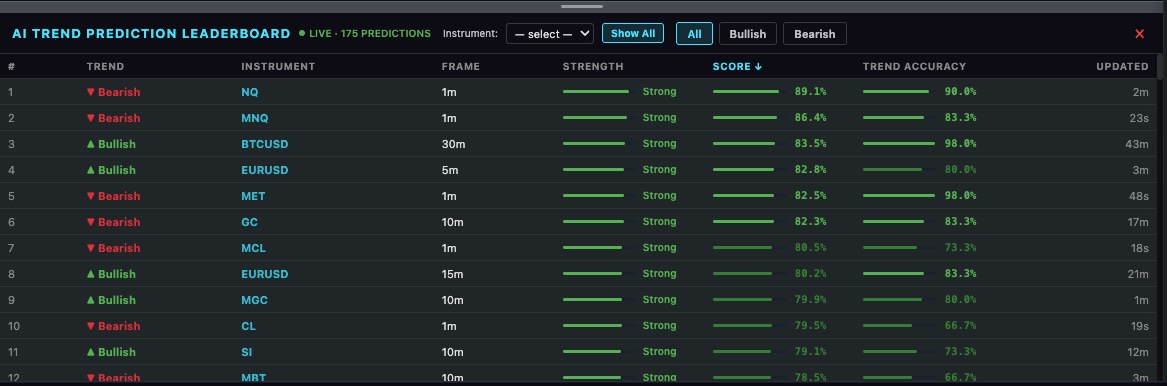
Most crypto traders check their charts on a phone. The free preview is designed to be useful in that context — a quick, readable projection you can pull up between trades, with the chart chat right there to explain it. If you want the full experience, the paid LiveCharts.AI trial adds multiple instruments and timeframes open at once, each with its own predictions, plus the built in trade simulator and live trend leaderboard.
See live predictions on LiveCharts.AI →Try the free 30 bar prediction preview on BTCUSD from your iPhone, then explore the other free AI trading tools from LiveCharts.AI — see the market before it happens.
See LiveCharts.AI in action — predicted candlesticks and indicators, 30 bars into the future, before they occur:
More questions traders ask
Bitcoin futures price Bitcoin (BTCUSD) is live on LiveCharts.AI with the next 30 bars predicted on every timeframe from 1 minute to 1 hour, redrawn as each candle closes. A prediction is an estimate, not a certainty; the market page shows recent BTCUSD predictions next to what happened. Bitcoin predictions →
BTCUSD prediction now LiveCharts.AI predicts the path of Bitcoin (BTCUSD) 30 bars ahead on every timeframe and shows how recent predictions compared with what happened, so the record can be checked before relying on one. Bitcoin predictions →
BTCUSD live chart delta exchange The LiveCharts.AI BTCUSD chart shows the real Bitcoin candles together with the predicted next 30 candles and the predicted indicators, drawn ahead of the last bar on every timeframe from 1 minute to 1 hour. Bitcoin predictions →
For educational purposes only. LiveCharts.AI disclaimer: trading involves risk of substantial loss and is not suitable for every investor. LiveCharts.AI provides technical analysis tools and predictions for educational and informational purposes only; outcomes vary and individual results may differ from any examples shown. Historical performance is not indicative of future outcomes. Only invest capital you can afford to lose and consult a licensed financial advisor before making investment decisions.